
King Billy Casino App Comprehensive Sound and Audio Configuration Options for New Zealand Users

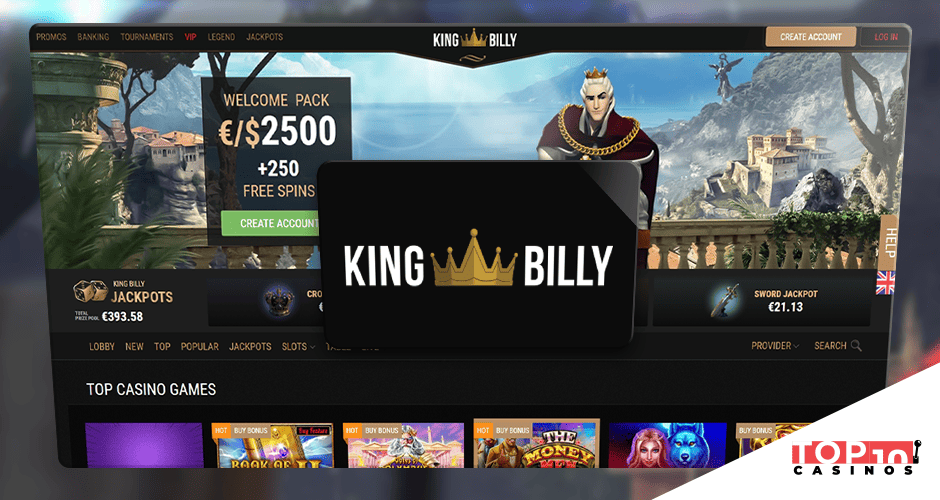
The King Billy Casino App serves New Zealand users with an remarkable array of sound and audio adjustment options. This versatile platform offers an captivating gaming experience through high-definition sound and tailored audio settings. Users can seamlessly adjust volume, manage notifications, and tweak equalizer settings to improve their gameplay environment. Curious about creating your own ideal gaming ambiance? Explore the hidden potential the app holds for every player.
Exploring the King Billy Casino App’s Sound Features
How does the King Billy Casino App enhance the audio experience for its users? By incorporating high-definition sound features, the app crafts a vivid auditory environment, enhancing user engagement and immersion.
This commitment to audio excellence equips players, delivering an atmosphere where every spin, bet, and win echoes with clarity and precision. Acoustic upgrades elevate the gaming ambiance, aiming at freeing users from mundane distractions. The balance between sound effects and background music permits users to keep concentration and experience the game in its full glory without interference.
Freedom-loving users desire versatility, and the app’s customizable sound profiles serve diverse preferences, whether one desires an energetic soundtrack or tranquil silence.
This versatile capability assures players remain in control of their auditory journey.
How to Access Sound Settings on Your Device
Accessing your device’s sound settings is crucial for tailoring the King Billy Casino app audio experience. Users can initiate by browsing through the device’s audio menu to find options for modifying volume levels and setting specific preferences.
Additionally, https://www.annualreports.com/HostedData/AnnualReportArchive/e/evolution-gaming-group-ab_2017.pdf modifying sound notifications allows users to get alerts in a way that fits their personal gaming style.
Navigating Device Audio Menu
Curiously browsing through your device’s settings can sometimes seem like an exploration. One discovers an array of options that grant control over digital experiences, https://kingbilly-nz.com/en-nz/app/, particularly in the domain of audio.
Accessing the sound settings turns into an instinctive pursuit for the user keen to customize their soundscape. On devices, a search for ‘Settings’ guides them down complex paths; selecting the ‘Sound’ option discloses a galaxy of possibilities.
Within this menu, the user can seamlessly find and modify distinct audibility features to suit specific preferences.
Whether exploring Android, iOS, or desktop platforms, each provides a individual avenue for getting to these controls. The pursuit is fueled by a need for liberated customization, emphasizing the experience of modifying audio exactly to their preference.
Adjusting Volume Preferences
For many users, the first step in tailoring their auditory experience involves identifying the sound settings on their device. These controls grant freedom, permitting individuals to customize their interactions with the King Billy Casino app to their liking.
By entering the settings menu, one can move to the sound or volume section where various options are ready for discovery. Modifying volume levels provides the user control over their audio environment, granting the ability to boost or soften sounds.
This independence guarantees a customized gaming experience, appealing to all preferences whether gentle or engaging. Understanding these controls encourages an environment beneficial to individual desires, enhancing the pleasure and usefulness of the King Billy Casino app without the necessity for additional constraints.
Customizing Sound Notifications
Having adjusted the volume preferences, users can proceed to customizing sound notifications. This permits them to adjust the alerts from the King Billy Casino app as per their needs.
By accessing the sound settings on their device, users can tailor the audio experience, giving them the liberty to choose notifications that suit their lifestyle.
To access these settings:
- Open Device Settings
- Navigate to Apps and Notifications
- Select King Billy Casino App
- Choose Notifications
- Adjust Sounds
This customization ensures a unique gaming atmosphere without restriction.
Customizing In-Game Sound Effects
Users of the King Billy Casino App in New Zealand are increasingly seeking methods to personalize their gaming experience by altering in-game sound effects.
With the addition of flexible audio configuration options, players have the ability to adjust auditory cues to their preferences, enhancing engagement and individuality within their gameplay. These adjustable settings enable users to manage volume levels of various sound elements, ranging from winning chimes to button clicks, guaranteeing that their auditory environment suits personal taste.
This option to modify in-game sounds provides an immersive gaming session, free from standard presets, thereby fostering a sense of liberation. As more players examine these options, King Billy Casino App keeps supporting their quest for enhanced, personalized gaming adventures.
Personalizing Ambient Music for Games
New Zealand users of the King Billy Casino application have the chance to improve their gaming experience by selecting from a range of game audio themes.
These flexible options allow users to select music that matches their playing method and preferences. Additionally, players can fine-tune the volume to guarantee a harmony between gameplay and background music, crafting an engaging environment customized to individual tastes.
Selecting Game Audio Themes
Ever thought about how game audio themes can enhance your gaming experience at King Billy Casino? The appropriate audio can captivate users, offering a custom atmosphere and providing a more immersive adventure.
King Billy Casino understands the significance of personalization, enabling New Zealand users to choose from a range of exciting game audio themes. This flexibility enables users, ensuring they can match the mood of their journey with the sounds they love.
With personalization in mind, users might explore:
- Diverse Genre Options
- Mood Elevation
- Cultural Tunes
- Dynamic Changes
- Creative Exploration
Adjusting Volume Preferences
While theme selection improves the sound backdrop of the King Billy Casino experience, tailoring the volume of these themes can further personalize gameplay.
New Zealand players have the opportunity to design a gaming environment that matches with their unique likes, lessening distractions and enhancing enjoyment. The flexibility within the app to adjust background music volume ensures players aren’t restricted to predefined sound levels.
Instead, they are enabled to design an audio environment that enhances their approach and focus. This modifiable feature is especially advantageous for those who appreciate a gentle tonal environment or favor an enveloping sound experience.
King Billy Casino respects the user’s freedom, offering a seamless route to manage and enhance their sound surroundings, guaranteeing total gaming freedom.
Adjusting Notifications and Alerts
Although gambling fans often enjoy the thrill of gameplay, modifying notifications and alerts within the King Billy Casino app is essential for preserving a seamless gaming experience for New Zealand players.
Adjusting these settings gives players management over their gaming ambiance, matching with their individual preferences and ensuring continuous focus. The app allows adjustment of how and when alerts are sent, encouraging both focus and independence.
Through the system, players obtain access to manageable and user-friendly features, enhancing an personalized experience.
- Adjust the interval of notifications to lessen distractions.
- Tailor alert sounds to identify different game updates.
- Enable or turn off push notifications according to gaming sessions.
- Opt for silent modes during critical activities or rest periods.
- Tailor notification settings to align gaming and daily life.
Tips for Balancing Sound Levels
In managing a flawless auditory experience within the King Billy Casino app, New Zealand users benefit from efficiently balancing sound levels to complement their gaming habits. Sound customization allows players to control volume levels of music and effects based on personal preferences.
Adjusting global volume settings to a comfortable range while playing guarantees an captivating gaming atmosphere without overloading. Users seeking focus may lower music layers, highlighting game sound effects. Conversely, emphasizing music boosts excitement during gameplay.
It’s essential to periodically test configurations and make responsive changes to maintain desirable soundscapes. Headphone users should be particularly cautious of volume, safeguarding against auditory fatigue.
Ultimately, freedom in sound adjustment helps craft a personalized casino experience, enhancing both focus and enjoyment.
Enhancing Your Audio Experience for Maximum Enjoyment
Building upon the basis of balanced sound levels, improving the audio experience takes on a richer dimension for New Zealand users of the King Billy Casino app.
By prioritizing clarity and immersion, users can explore a world of auditory bliss while retaining their sense of autonomy. The following strategies offer opportunities for a bespoke and improved audio experience:
- Experiment with Equalizer Settings
- Surround Sound Options
- Noise-Cancellation Features
- Device Compatibility
- Adjustable Volume Levels
These advancements promise a personalized journey through the King Billy Casino app, fulfilling the need for a enhanced gaming soundscape.
Frequently Asked Questions
Does the King Billy Casino App Offer Support for Hearing-Impaired Users?
The app delivers accessibility features for hearing-impaired users, permitting personalized audio settings. This inclusivity boosts https://www.annualreports.com/HostedData/AnnualReportArchive/s/ASX_SKC_2020.pdf user liberty and selection, ensuring all players can enjoy a seamless gaming experience without being impeded by auditory restrictions.
Are There Any Exclusive Sound Themes for New Zealand Players?
The question of exclusive sound themes for New Zealand players piques interest, yet autonomous users crave flexibility. Offering tailored audio experiences, including area-specific themes, nurtures individuality, allowing players to involve themselves in a one-of-a-kind, personalized gaming atmosphere.
Is There an Option to Mute the App Entirely?
Autonomy-lovers often appreciate full command over their experiences. The app offers an feature to mute all sound, allowing users to enjoy quiet play. This capability enables players, guaranteeing their gaming atmosphere conforms with individual preferences without constraints.
Can I Use External Audio Devices With the App?
Users often seek adaptability in choosing their audio outputs. This app acknowledges such freedom, allowing them to link external audio devices easily. Whether opting for headphones or speakers, users enjoy a personalized and absorbing auditory session.
Does the App Support Voice Commands for Audio Control?
The app does not enable voice commands for audio control. Users seeking autonomy in their gaming session may use manual settings, permitting them to personalize audio settings personally, without relying on automated voice features.